Glassine
A small, fast, native PDF and Markdown reader for the Mac.
macOS 14 or later, Apple Silicon. Free, open source, MIT licensed; the source is on GitHub. It updates itself through Sparkle, so this is the only time you need this page.
glas·sine/ɡlaˈsēn/noun
A thin, dense, translucent paper, smooth-surfaced and resistant to air and grease. Used as interleaving in books and albums, and as the sleeve that protects a print or a stamp while letting you see straight through to it.
Early twentieth century, from glass + -ine. The app is named for the sleeve, not the window: something thin that lets the document show through and otherwise stays out of the way.
What it does
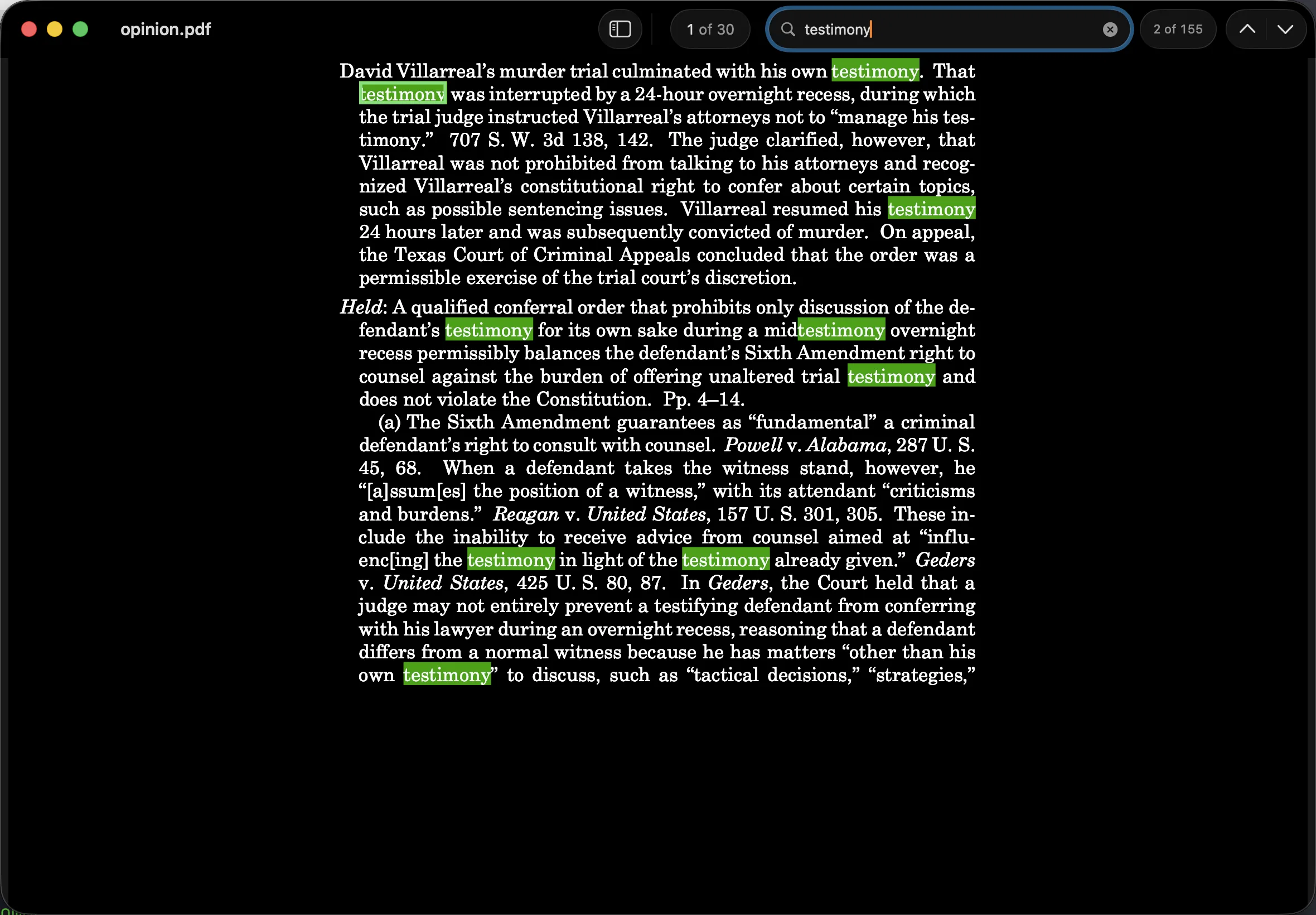
- Dark mode that inverts the page. In dark mode the PDF itself renders light on dark, not just the window chrome. The paper can be Black, Charcoal, or Gray; links and figures keep their hue.
- One window, native tabs. Every document opens as a tab. ⌘T for another, ⇧⌘[ and ⇧⌘] to switch, and you can drag a tab out to work side by side.
- Arrow keys page. ↑ and ← go back a page, ↓ and → go forward, ⌘↑ and ⌘↓ jump to the ends. No modifier to remember and no half-scrolled pages.
- Find with a hit count. ⌘F reports how many matches a document holds and marks them in green — legible in dark mode too, where the highlight recolors the glyphs rather than the paper.
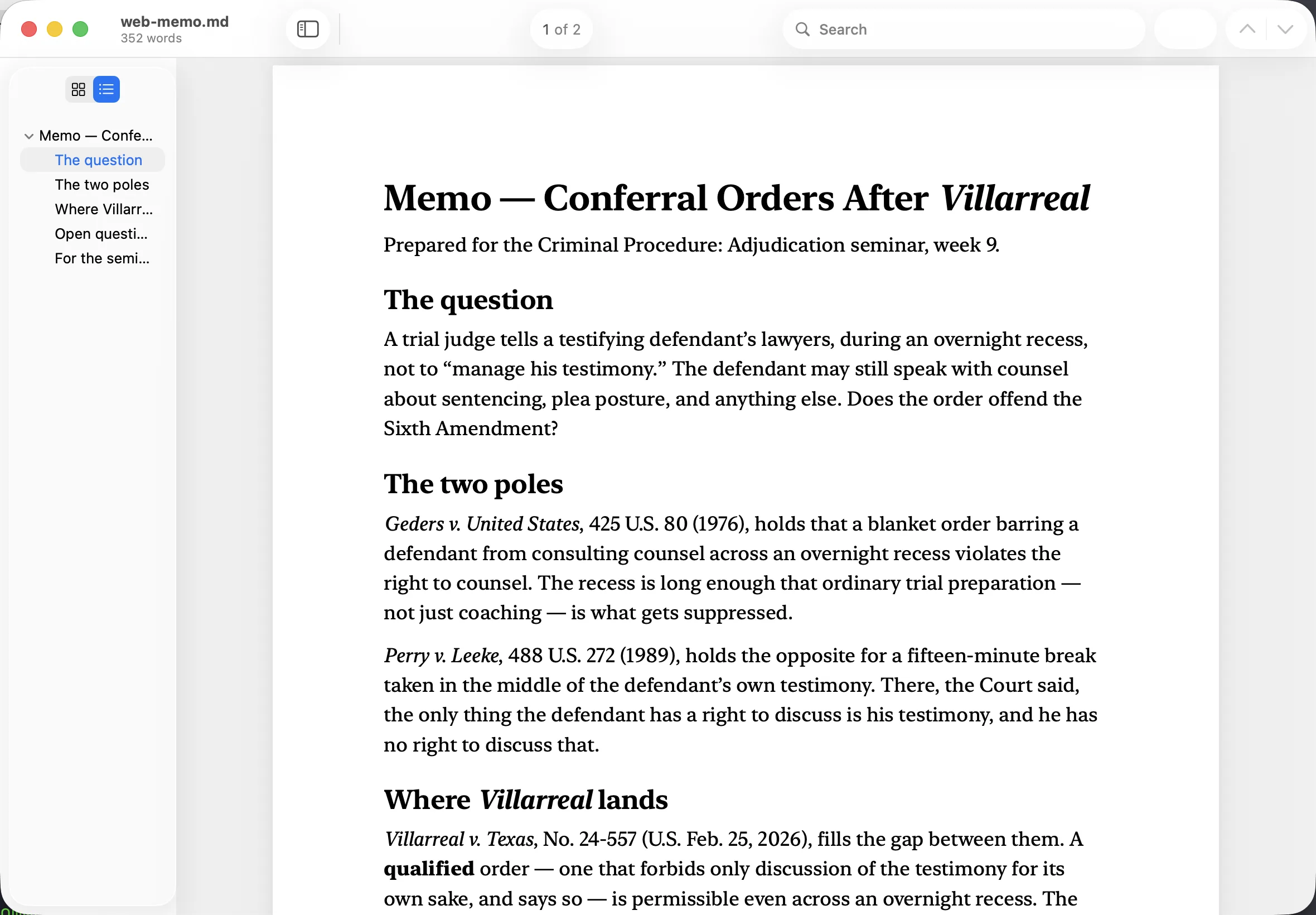
- Thumbnails or a table of contents. ⌃⌘S opens the sidebar; ⌥⌘2 and ⌥⌘3 switch between page thumbnails and the document's own chapters. The outline follows where you are.
- It remembers where you were. Reopen a brief and it comes back to the page and the scroll position you left it on.
- Markdown, typeset into pages. A .md file is set into real Letter pages and read through the same reader — six print stylesheets or your own CSS, a continuous layout with a reading-progress percentage, a re-render within about half a second whenever the file changes on disk, and export to PDF.
- Window opacity, with blur. Fade the window to as little as 30% to read against whatever is behind it. The backdrop blurs the way Terminal's does, or doesn't, as you prefer.
- It opens to your recent files. With nothing on screen you get the last thirty documents you read and where you left off in each, not an empty file dialog.
Why
I wanted a reader that opens before I finish letting go of ⌘O. PDF Expert had been my reader for years, and it got slow — slower to launch, slower to page, slower to find a word in a long brief. I read briefs, opinions, and article drafts most of the day, and none of what I do with them is complicated. It should be instant.
So Glassine does exactly that much and stops. The other half of the problem was Markdown: the memos that AI tools produce arrive as .md files, and reading them in an editor is nothing like reading a document. Glassine typesets them into pages and hands them to the same reader, so a memo and an opinion behave alike.
Colophon
Native, and only that. Swift, AppKit, and PDFKit — the same rendering engine Preview uses. No Electron and no web view on screen; WebKit runs offscreen, purely as the typesetter for Markdown.
Written with Claude Code. I am a law professor, not a Mac developer. The app was built from scratch in Claude Code, which is its own small argument about what these tools are now good for.
Bugs and requests. Open an issue on GitHub. The source is all there, under the MIT license, if you would rather fix it yourself.